
5How to use Jamaatna
Live dashboard
Track who arrived and who's still pending, live, gate by gate.
Steps
Step 1
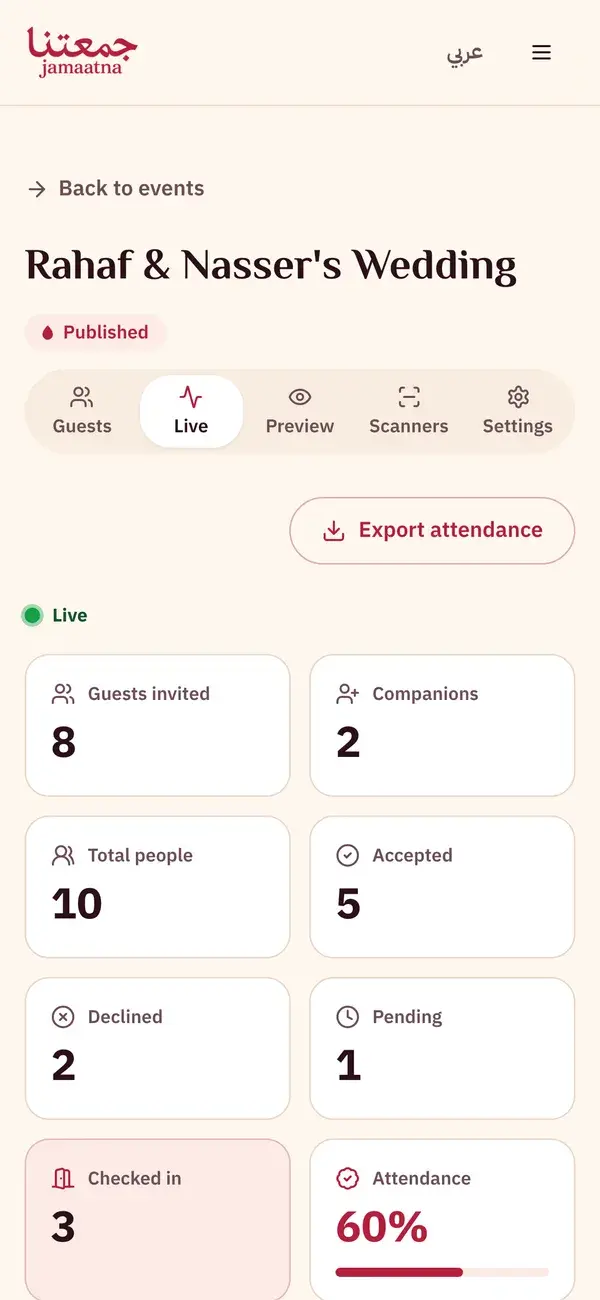
Open the "Live" tab
From your event page, choose the Live tab to follow attendance on event day.
- The "Live" indicator means real-time updates
Step 2
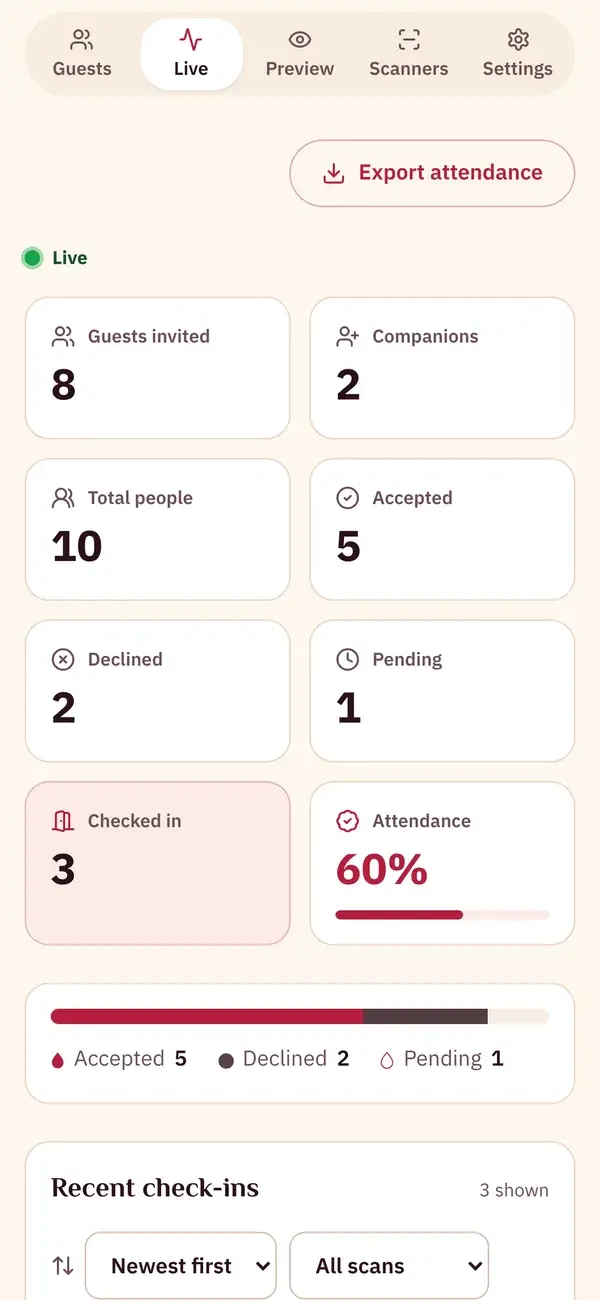
Follow the live counters
Invited, confirmed, declined, awaiting reply, attendance rate and checked in. All of it updates in real time.
- Confirmed · Declined · Awaiting reply
- Attendance rate and "checked in"
Step 3
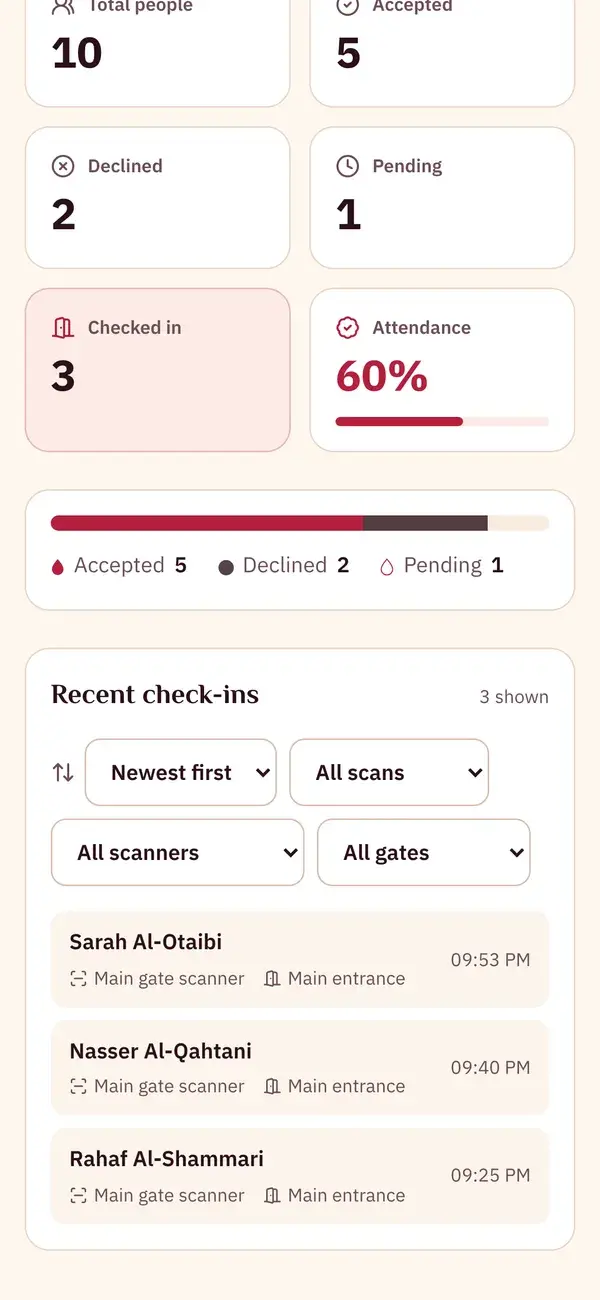
Watch the latest check-ins
See the check-in log by guest name, gate and time, filter by gate or scanner, and export the attendance list.
- Filter by gate and scanner
- "Export attendance" as CSV
Keep the guide as a PDF
The same steps in one file, to save or send to whoever is helping you get ready.
5 pages
Download PDF