
4How to use Jamaatna
Check-in at the door
Scan each guest's QR at the door, with an instant alert on any duplicate.
Steps
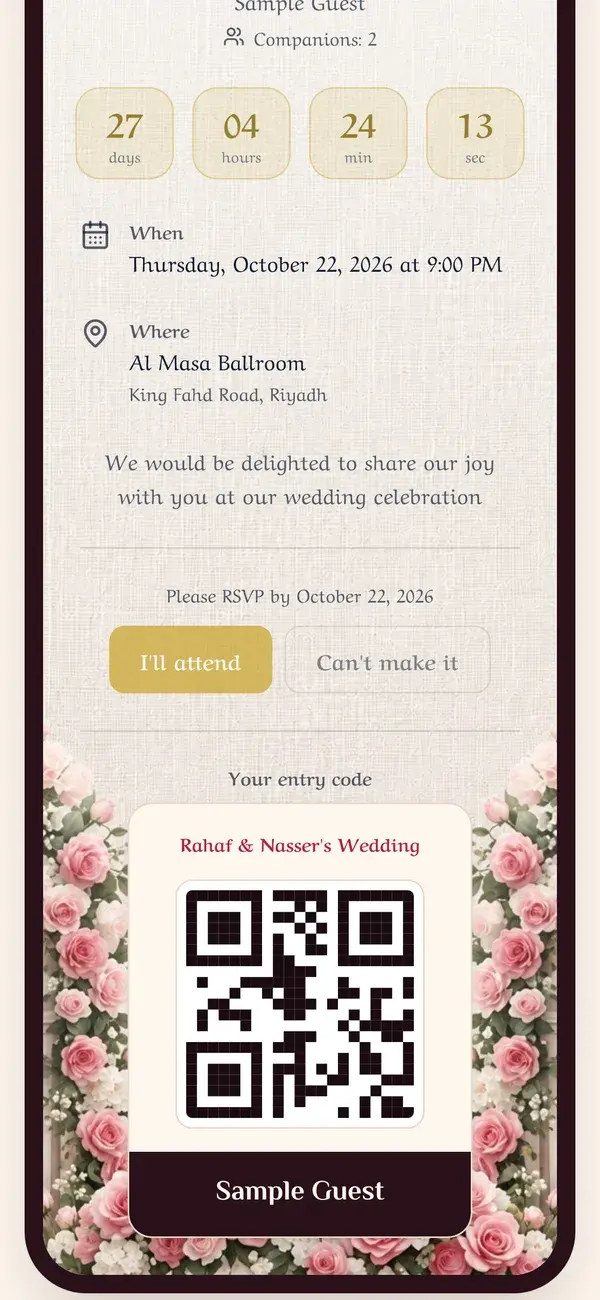
Step 1
The guest shows their entry code
On arrival, the guest opens their own QR entry code from their invitation on their phone.
- A unique code for every guest
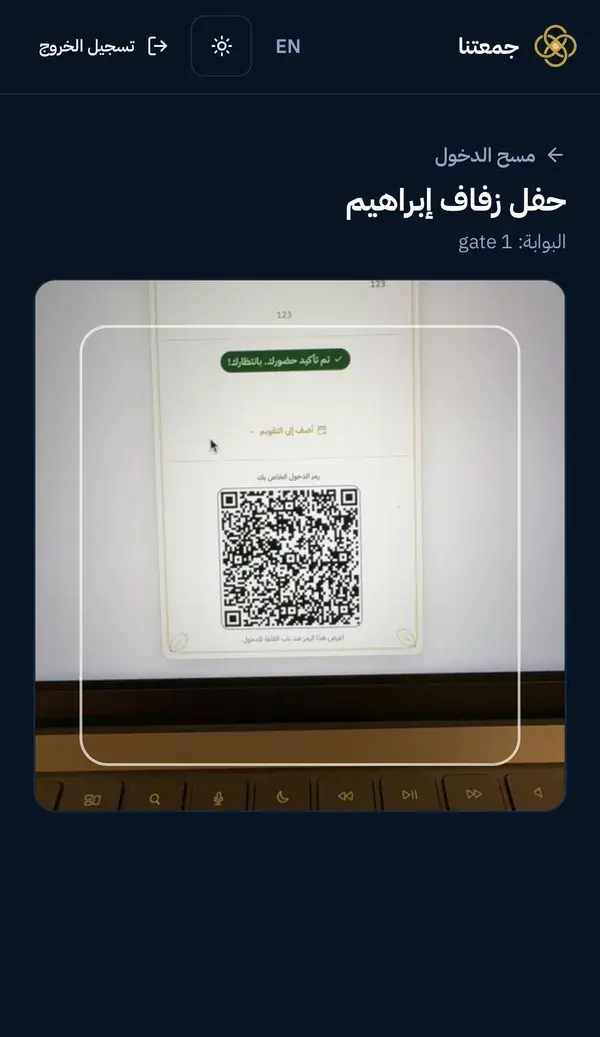
Step 2
The scanner reads the code with the camera
From the scanner account, open the "Scan check-in" screen and point the camera at the guest's code. It reads instantly.
- Point the camera at the code
- Instant alert on any duplicate attempt
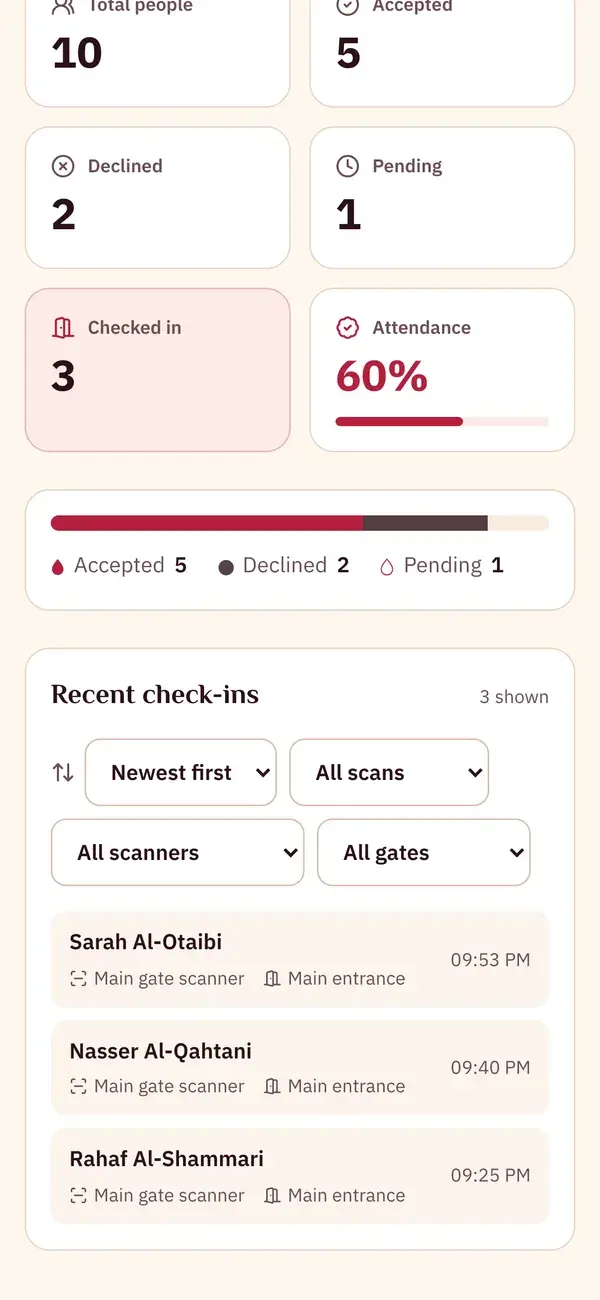
Step 3
The check-in shows up on the live dashboard
The guest's check-in is logged in real time with their name, gate and time, and the "checked in" counter updates instantly.
- Guest name, gate and time
Keep the guide as a PDF
The same steps in one file, to save or send to whoever is helping you get ready.
5 pages
Download PDF