
3How to use Jamaatna
RSVP & entry code
No app, no login — guests get a link, confirm, and receive a QR entry code.
Steps
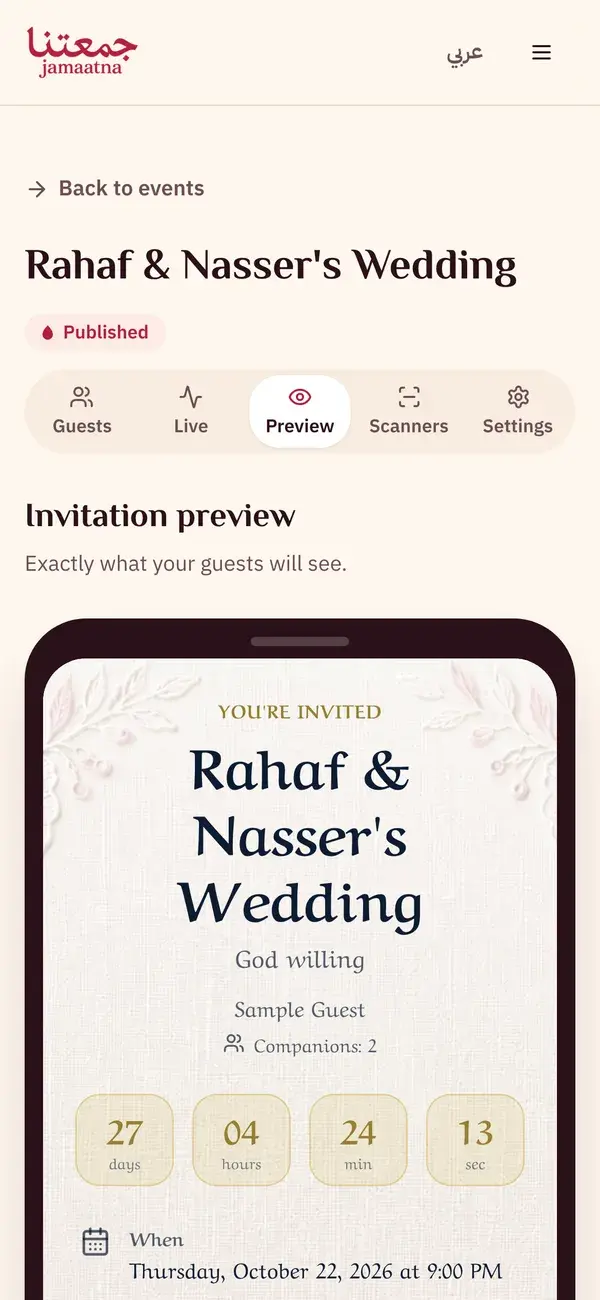
Step 1
Open the invitation link
You receive your own link over WhatsApp. Open it straight in the browser, with no app to download. The invitation appears with the event details and a countdown.
- Event name, date and venue
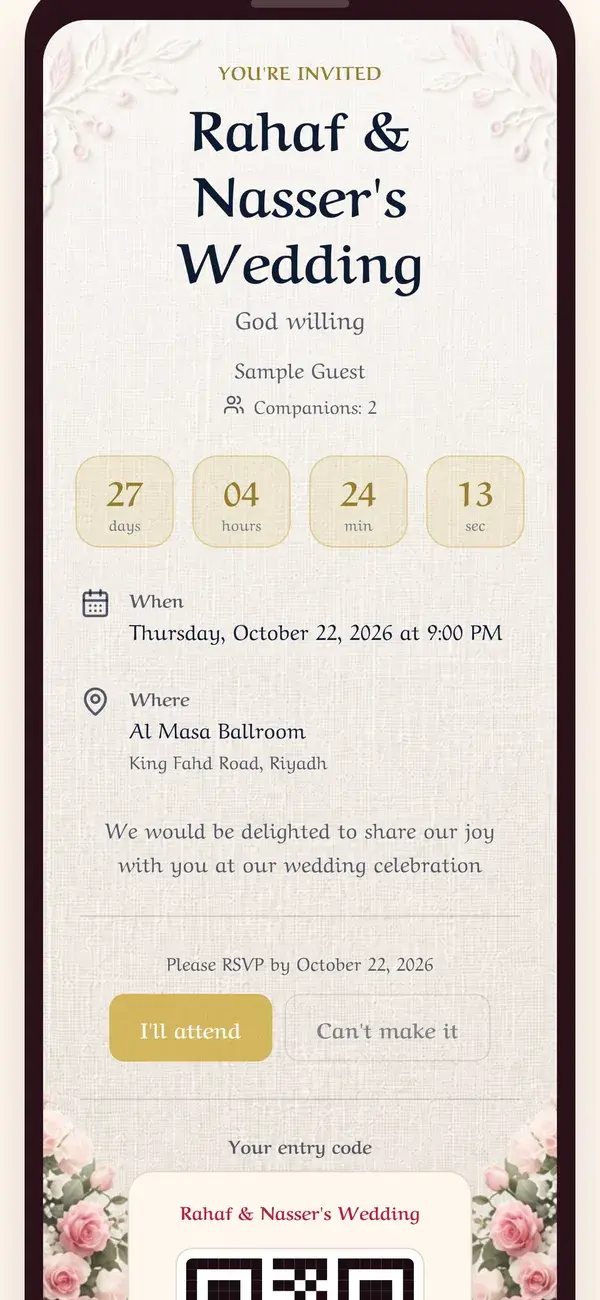
Step 2
Confirm your attendance in one tap
Tap "I'll attend" to confirm, or "Can't make it" if you can't. Your reply reaches the host instantly.
- "I'll attend" to confirm
- "Can't make it" to decline
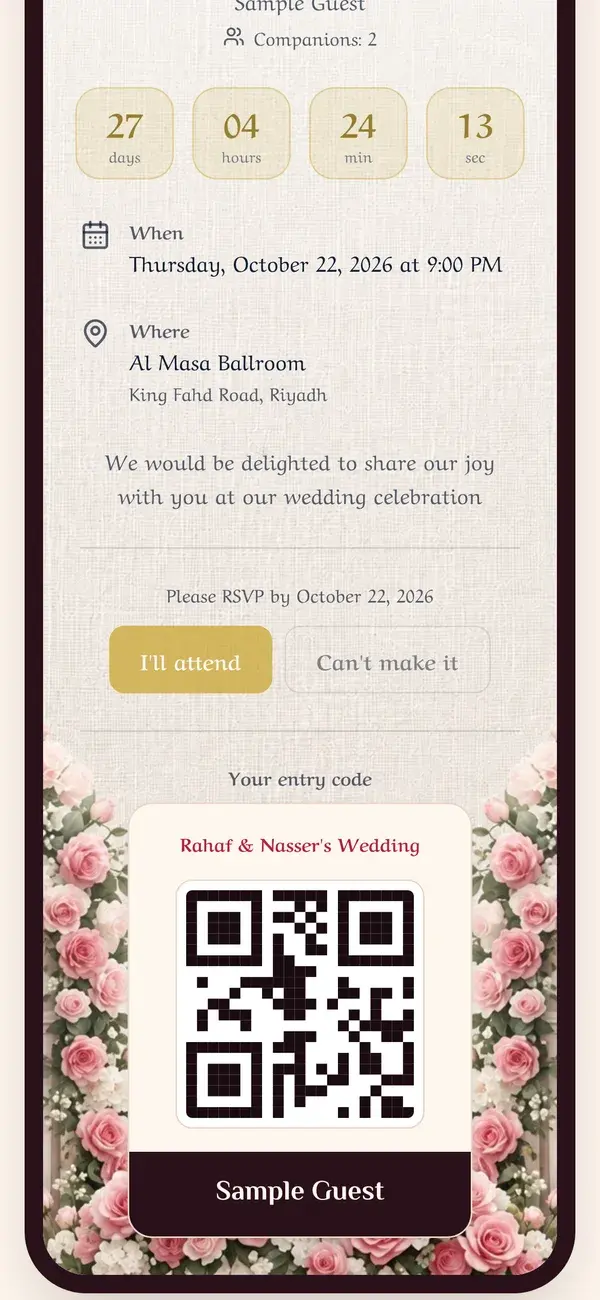
Step 3
Get your QR entry code
Once you confirm, your own entry code appears. Keep it on your phone. It's scanned at the venue door on the day.
- Your personal entry code
- Save it to show at the door
Keep the guide as a PDF
The same steps in one file, to save or send to whoever is helping you get ready.
5 pages
Download PDF