
2How to use Jamaatna
Send invitations
Add your guests and send invitations straight over WhatsApp.
Steps
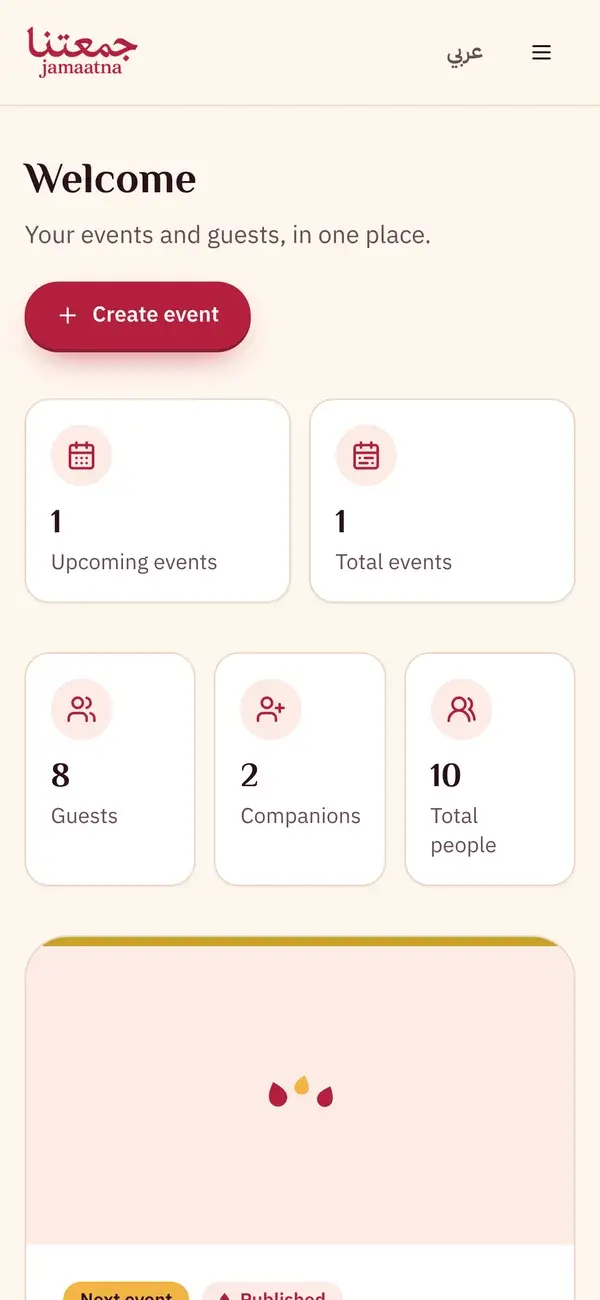
Step 1
Open your event from the dashboard
From the owner home page, tap the event you want to send invitations for.
- Tap the event card
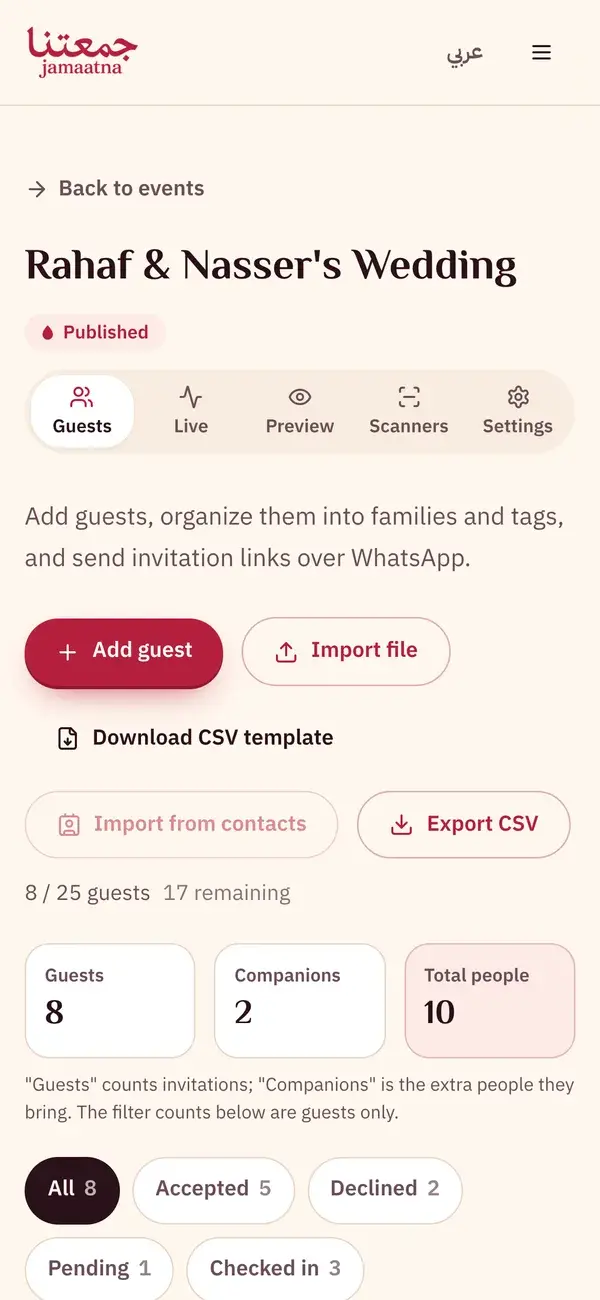
Step 2
Add guests in the "Guests" tab
Add each guest by hand, or import your whole list at once from an Excel file.
- "Add guest" to add one person
- Or "Import file" for a full list
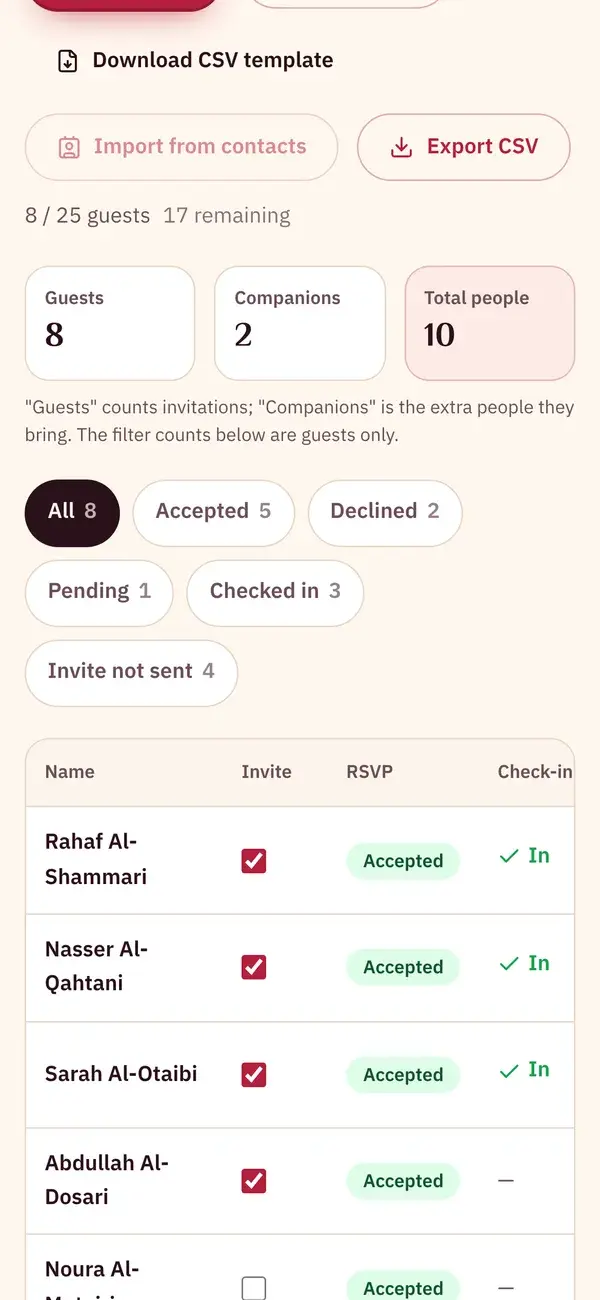
Step 3
Send the invitation link over WhatsApp
Every guest gets their own invitation link. Send it in one tap, or copy and share it however you like.
- WhatsApp icon: send the invitation directly
- Link icon: copy the invitation link
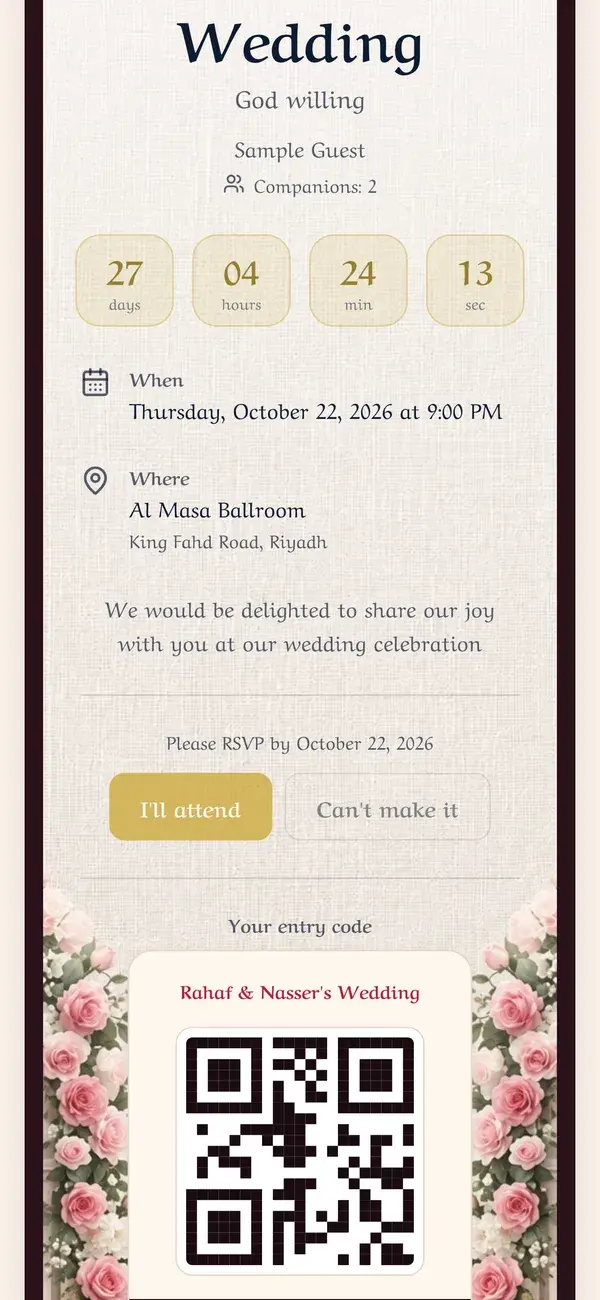
Step 4
This is what your guest sees. No app.
The link opens in the browser, they RSVP in one tap, and they get their own QR entry code.
- "I'll attend" or "Can't make it" to reply
- The entry code is scanned at the door

Keep the guide as a PDF
The same steps in one file, to save or send to whoever is helping you get ready.
6 pages
Download PDF