
1How to use Jamaatna
Create your event
Set up your event and customize the invitation in just a few minutes.
Steps
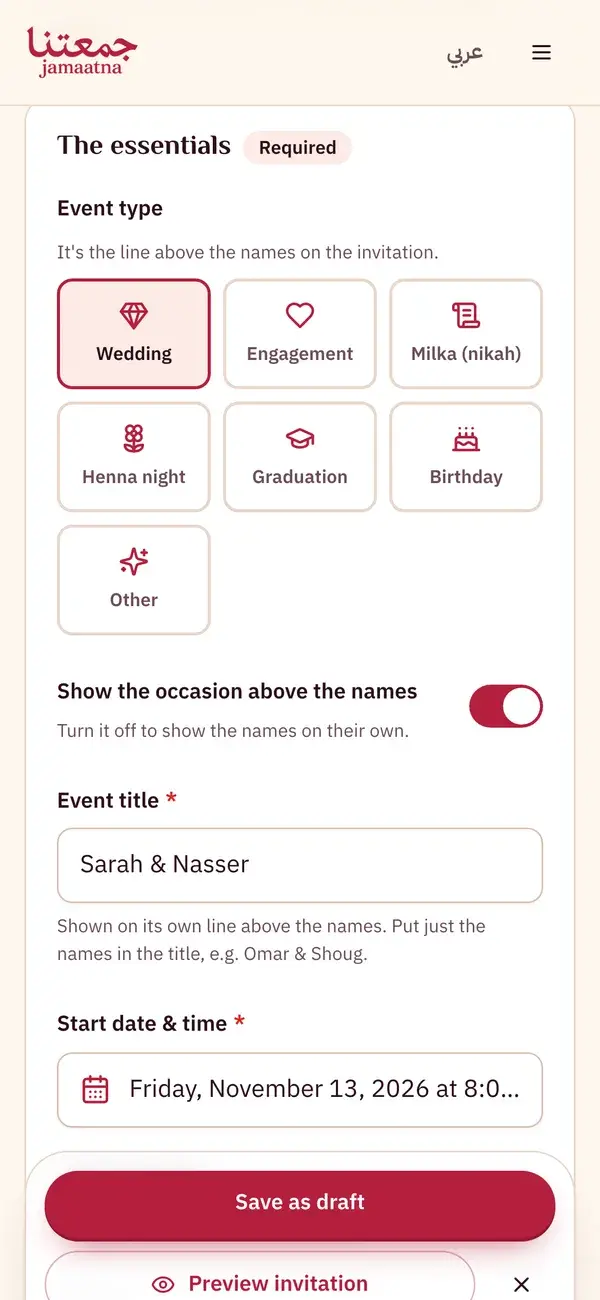
Step 1
Start with the essentials
Everything is on one page. Pick the event type, put just the names in the title, then set the start date and time and the venue.
- Wedding, engagement, milka, henna, graduation, birthday or other
- The RSVP deadline and address are optional
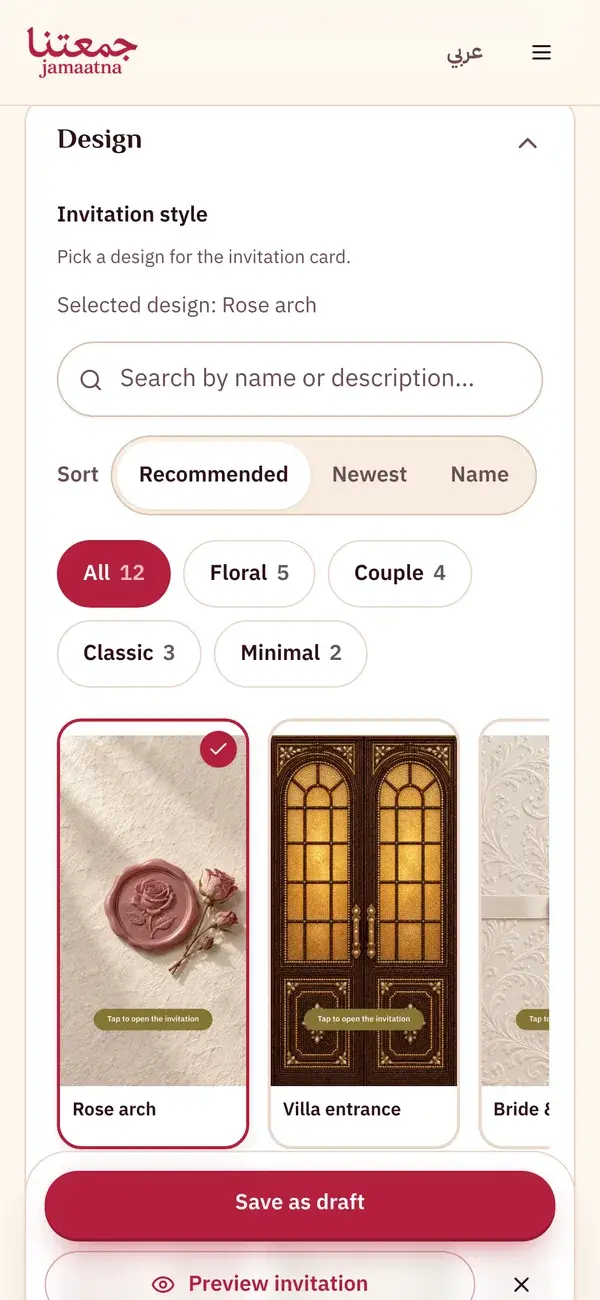
Step 2
Choose your invitation design
Open Design and pick a ready-made design, its colour, fonts and opening. Open the other sections whenever you need them.
- Invitation text, program, guest experience
- Section order and WhatsApp message, all optional
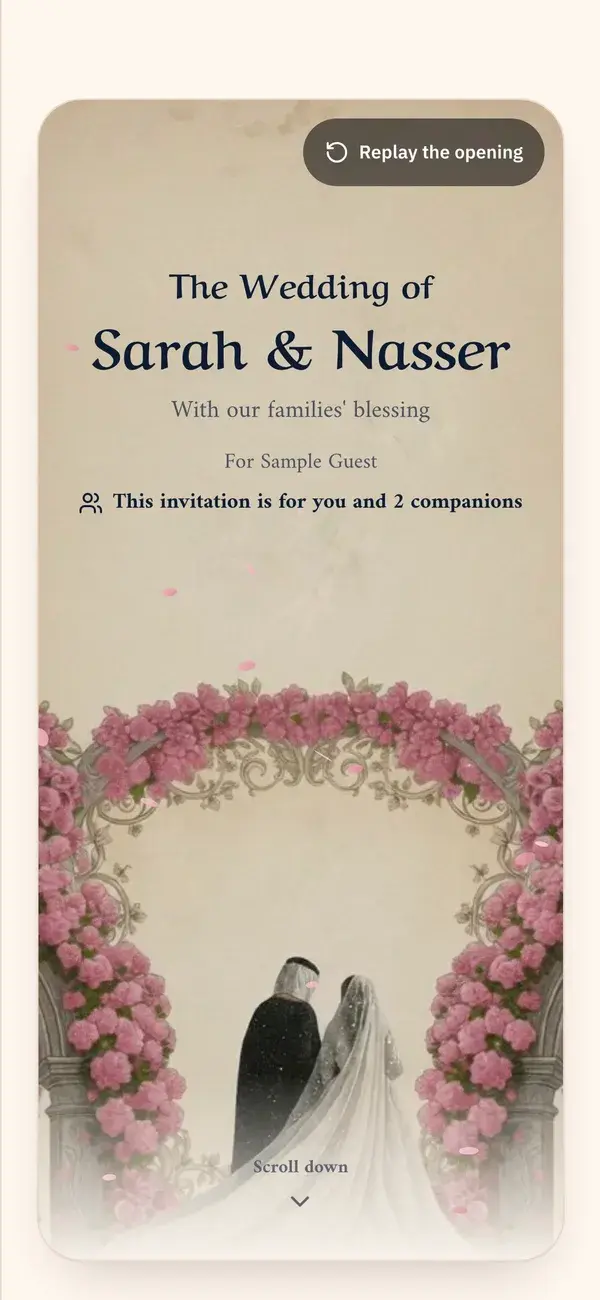
Step 3
See it as your guests will
Tap "Preview invitation" at any time to see the same invitation your guests receive, with its opening, design and details.
- The preview follows every change
- Even before you save
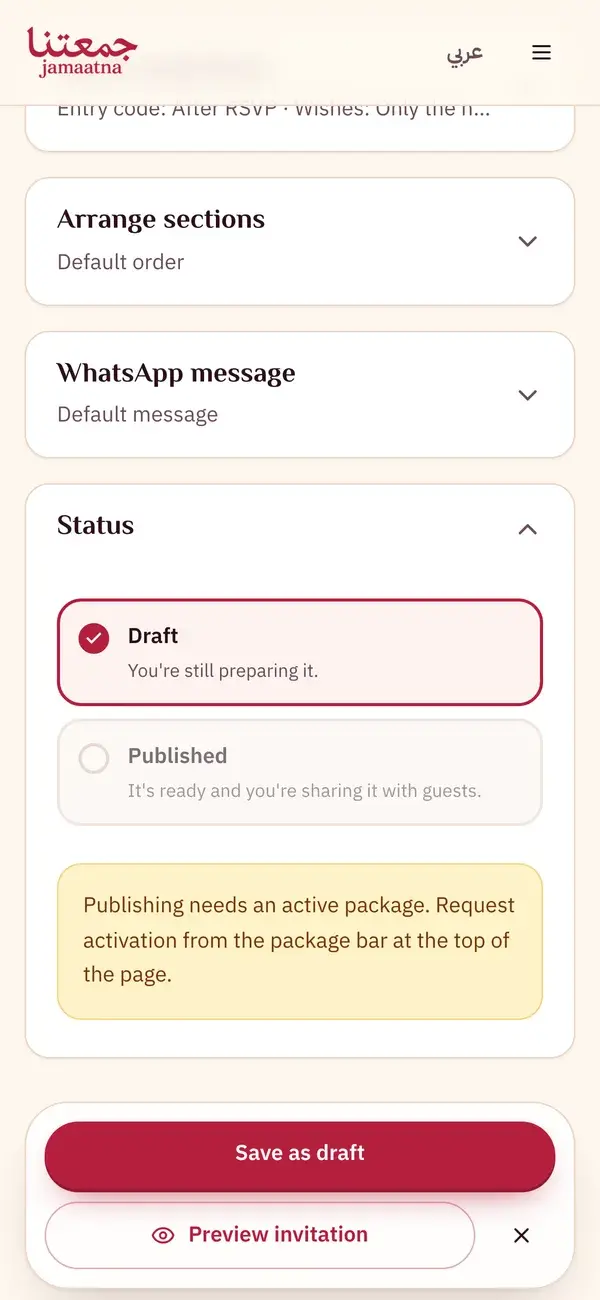
Step 4
Save a draft, then request activation
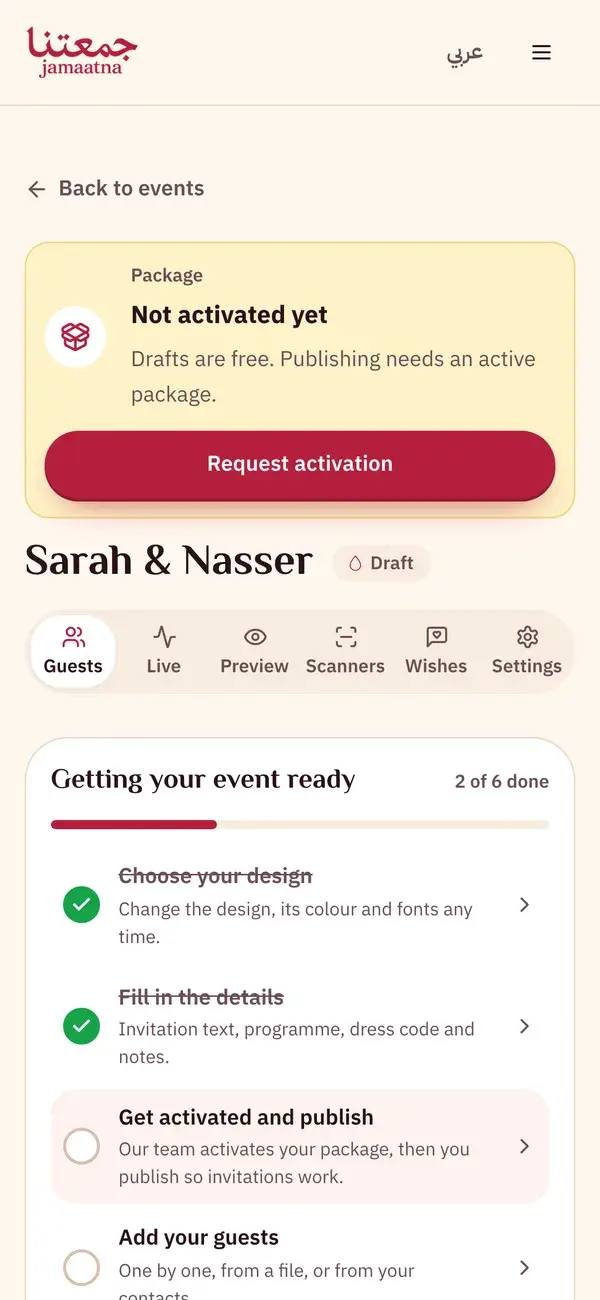
A new event saves as a draft, and you can build and preview it free. To publish, tap "Request activation", choose the package you want and send the request to our team on WhatsApp. Once we activate it, choose Published and save.
- "Save as draft"
- "Request activation" opens WhatsApp with our team
Step 5
Follow your getting-ready list
Once saved, your event's page lists the steps left, each linking to where it's done. When our team activates your package, choose Published and save.
- Get activated and publish, then add guests
- Send the invitations and add a door scanner
Keep the guide as a PDF
The same steps in one file, to save or send to whoever is helping you get ready.
7 pages
Download PDF